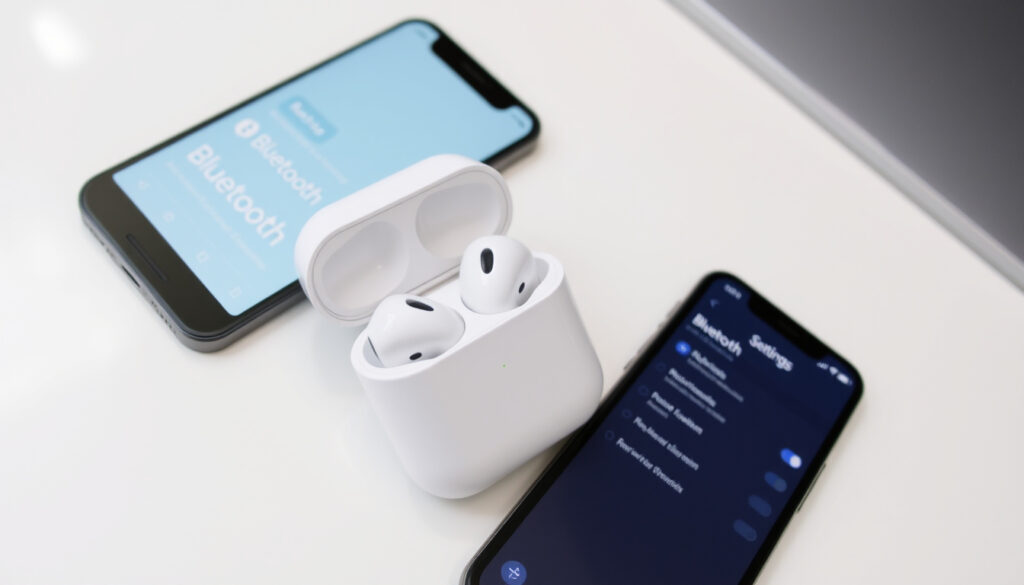
How to Reset AirPods – Complete Guide for All Models
Few things are more frustrating than AirPods that refuse to connect. Whether you’re handing them down to a family member, troubleshooting a glitchy left earbud, or just want to start fresh, knowing how to factory reset your AirPods is essential. Apple has sold over 100 million pairs worldwide as of 2021, and each generation has its own reset quirk. This guide walks you through every model so you can get back to listening without the guesswork.
AirPods sold worldwide: over 100 million as of 2021 ·
Factory reset duration: approximately 15 seconds of button press ·
Status light indicator: flashes amber when reset completes ·
AirPods models covered: 1st, 2nd, 3rd, 4th, Pro, and Pro 3
Quick snapshot
- Resets to out-of-box state (Apple Support)
- Clears all pairings and settings (Apple Support)
- 15-second button press (per Apple Support)
- Remove from previous Apple ID (Apple Support)
- Factory reset alone insufficient if Activation Lock enabled (Apple Support)
- Use iCloud or ask previous owner (Apple Support)
- Forget device before reset (per Apple Support)
- Check battery and charging contacts (Apple Support)
- Update firmware and iOS (Apple Support)
- AirPods 1/2/3/Pro use physical button (Apple Support)
- AirPods 4 and Pro 3 use touch area on case (Apple Support)
- Status light behavior identical (Apple Support)
Four key specs, one takeaway: the reset process varies by generation, but the core principle — hold or tap the case until the light changes — remains consistent. The details matter, and this table lays them out.
| Attribute | Value |
|---|---|
| Release year | 1st gen: 2016, 2nd gen: 2019, 3rd gen: 2021, 4th gen: 2024, Pro: 2019, Pro 3: 2026 |
| Reset method | Button press 15 seconds (older models) or double tap three times (AirPods 4/Pro 3) |
| Status light | Amber during reset, white when ready to pair |
| Activation Lock | Cannot be bypassed with factory reset alone (Apple Support) |
How do I fully reset my AirPods?
Resetting AirPods 1 and 2
- Place both AirPods in the charging case and close the lid for 30 seconds.
- Open the lid and locate the setup button on the back of the case.
- Press and hold the setup button for about 15 seconds until the status light flashes amber, then turns white (Apple Support official reset guide).
- Follow on-screen instructions to reconnect to your iPhone.
The pattern: 30 seconds of rest, 15 seconds of hold. It works the same for AirPods 1, 2, and Pro — only the case design differs.
Resetting AirPods 3 and 4
- Close the lid and wait 30 seconds.
- Open the lid — for AirPods 3, use the setup button on the back; for AirPods 4, double-tap the front of the case three times (Apple Support official reset guide).
- Hold the button or tap until the status light flashes amber, then white.
- Reconnect via iPhone pairing prompt.
AirPods 4 ditch the physical button entirely – you tap the case front instead. If you miss the timing, the reset won’t start, so count the taps carefully.
Resetting AirPods Pro and Pro 3
- Close the lid for 30 seconds with both earbuds inside.
- Open the lid – AirPods Pro use the back setup button; AirPods Pro 3 use a double‑tap gesture on the front (Apple Support official reset guide).
- Press and hold for 15 seconds or double‑tap three times until the light flashes amber, then white.
- Pair again from your device.
The implication: Pro models require the same duration as standard AirPods, but the Pro 3’s touch‑based reset is a break from the button tradition.
Force reset when AirPods are unresponsive
- If nothing happens after pressing the button, charge the case first (a dead battery is the most common culprit).
- Forget the device in Settings > Bluetooth > (i) > Forget This Device before trying again (Apple Support troubleshooting steps).
- Hold the setup button for a full 15 seconds – don’t release early.
How do I reset AirPods from a previous owner?
Removing AirPods from previous owner’s Apple ID via iCloud
- Ask the previous owner to sign in to iCloud.com and remove the AirPods from Find My.
- Once removed, you can perform a factory reset and pair them normally (Apple Support ownership transfer guidance).
Factory resetting AirPods without access to previous owner’s account
- If the previous owner still has the AirPods in their Find My network, you cannot pair them – Activation Lock persists.
- A factory reset alone does not remove Activation Lock (Apple Support Activation Lock explanation).
- If you found the AirPods, contact Apple Support or try to return them to the owner.
The catch: factory reset + Activation Lock = still locked. Only the original owner (or Apple with proof of purchase) can fully disassociate the AirPods from an Apple ID.
How do you fix AirPods that won’t connect or reset?
AirPods not appearing in Bluetooth settings
- Ensure AirPods are charged and the case has battery.
- Forget the device on iPhone via Settings > Bluetooth > (i) > Forget This Device (Apple Support forgetting device).
- Try resetting network settings on iPhone if Bluetooth is flaky (Krisp reset guide).
Reset button not working
- Check for debris around the button – use a soft brush to clean.
- If the button feels stuck, gently press with a toothpick.
- Update iOS and AirPods firmware to the latest version (Apple Support firmware updates).
AirPods stuck in pairing mode
- Factory reset again after forgetting the device.
- Place both AirPods back in the case, close the lid, wait 30 seconds, then repeat the reset process (Apple Community troubleshooting discussion).
What this means: most connection issues stem from leftover Bluetooth data. Forgetting the device and resetting network settings often clears the logjam.
How do I fix unresponsive AirPods?
AirPods not charging
- Check charging contacts on AirPods and case for dirt or debris – clean gently with a dry cloth.
- Reset AirPods to restore factory settings (Avantree reset guide).
No sound in one earbud
- Clean mesh speaker grilles gently – clogged grilles cause sound loss.
- Reset the AirPods and re‑pair (Krisp reset guide).
Sensors not detecting ear
- Ensure the earbud is clean and properly seated in your ear.
- If unresponsiveness persists, contact Apple Support for service (Apple Support service options).
A reset can fix software glitches, but hardware issues like dead batteries or water damage require professional repair. Apple charges a fee for battery service after the warranty expires.
How do I reset my AirPods name?
- Go to Settings > Bluetooth on your paired iPhone.
- Tap the (i) icon next to your AirPods.
- Tap the current name field and type a new name (Apple Support rename instructions).
- The name change syncs across all devices linked to your Apple ID.
The pattern: renaming is a one‑time edit that stays with your iCloud account. It’s useful if you have multiple pairs or want to identify them in Find My.
Do AirPods eventually go bad?
Battery degradation over time
- AirPods batteries degrade after about 2–3 years of regular use (Apple Support battery service).
- Apple offers battery service for a fee – about $79 per earbud (US pricing).
Physical damage and wear
- Silicone ear tips on Pro models may wear out after frequent cleaning.
- If a factory reset does not fix persistent issues, hardware failure is likely (Krisp reset guide).
Why this matters: a reset will not revive a dying battery. If your AirPods barely hold a charge, consider battery service an upgrade, not a fix.
Six models, six variations on a theme: the reset process narrows down to one constant – hold or tap 15 seconds, watch for amber then white. What changes is the button location and case design.
| Model | Release Year | Reset Method | Status Light Behavior |
|---|---|---|---|
| AirPods 1 | 2016 | Button on back of case | Amber → White |
| AirPods 2 | 2019 | Button on back of case | Amber → White |
| AirPods 3 | 2021 | Button on back of case | Amber → White |
| AirPods 4 | 2024 | Double‑taps on front of case | Amber → White |
| AirPods Pro | 2019 | Button on back of case | Amber → White |
| AirPods Pro 3 | 2026 | Double‑taps on front of case | Amber → White |
Confirmed facts
- Factory reset requires the setup button to be pressed for 15 seconds
- AirPods 4 and Pro 3 use a touch control reset method
- Previous owner must remove AirPods from their Apple ID to fully reset ownership
What’s unclear
- Effectiveness of resetting AirPods that have been submerged or physically damaged
- Exact firmware version behavior after reset on very old models
“For AirPods 4 and AirPods Pro 3, double‑tap the front of the case while the status light is on, double‑tap again when it flashes white, and double‑tap a third time when it flashes faster until amber, then white.”
Apple Support official reset guide
“Before attempting a reset, always forget the AirPods in Bluetooth settings to clear the old pairing data.”
For the millions who own AirPods, the decision to reset is usually driven by a specific pain point – hand-off, a glitchy connection, or a second-hand purchase. The takeaway is straightforward: a 15‑second reset works for most issues, but ownership locks require the original owner’s cooperation. If you’re buying used AirPods, insist the seller removes them from their Apple ID first – otherwise you’re stuck with an expensive paperweight.
If you encounter issues, the reset process for all models provides detailed instructions for every AirPods model.
Frequently asked questions
Does resetting AirPods delete all data?
Will a factory reset fix one AirPod not working?
How do I know if my AirPods are reset?
Can I reset AirPods without the case?
What to do if the reset button is stuck?
How often should I reset my AirPods?
Will resetting AirPods improve battery life?
More related posts
 RSA Closes Charlestown Driving Test Centre After Speed Ramps
 Leo Woodall Movies and TV Shows: Full List & Upcoming
 Wine Bar in Iceland – Top Reykjavik Spots and Tasting Tips
 Credit Union New Ross Guide: Services, Rates, and Benefits
 PS5 Black Friday Deals 2025: Best Prices & Where to Buy
 Cheltenham Gold Cup 2026 Results: Gaelic Warrior Wins
 Family Restaurants Near Me: Top Sligo & Ireland Spots
 Movies to Watch 2025: Top 10 Picks from Critics & IMDb