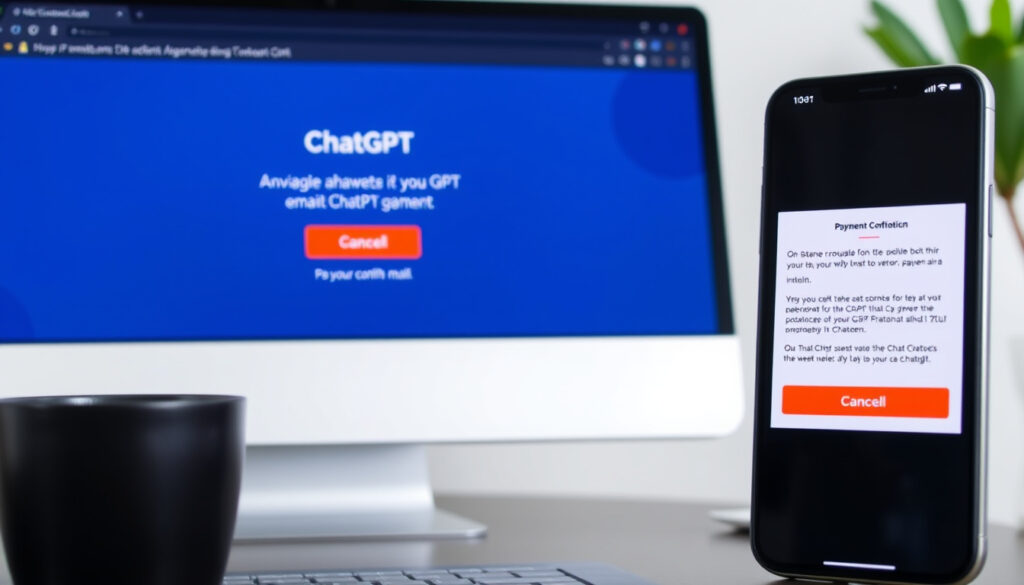
How to Cancel ChatGPT Subscription: Step-by-Step Guide
You’ve been meaning to cancel your ChatGPT Plus subscription but keep hitting a wall — the cancellation button isn’t where you expect it, or it’s simply missing. The reason is usually simple: you signed up through a different platform than the one you’re looking at now, so this guide walks through every official cancellation path and explains why certain methods fail.
Number of steps to cancel: 4 (Log in, Profile, Settings, Cancel) ·
Account deletion required? No ·
Cancellation available on: Web, iOS, Android ·
Official help article: help.openai.com (How do I cancel my ChatGPT subscription?)
| Platform | Cancel location | Steps required |
|---|---|---|
| Web | chatgpt.com → Settings → Billing | 4 |
| iPhone (iOS) | Settings app → Apple ID → Subscriptions | 4 |
| Android | Google Play Store → Payments & subscriptions | 4 |
Quick snapshot
- Web cancellation requires login to chatgpt.com (OpenAI Help Center)
- Exact refund terms are not publicly detailed (OpenAI Help Center)
- Must cancel 24+ hours before next billing date (OpenAI Help Center)
- Plus features end immediately, account remains active (Pocketguard)
How do I cancel my ChatGPT subscription?
Cancelling on the ChatGPT website
- Log in to chatgpt.com.
- Click your profile icon (bottom-left corner).
- Select Settings, then the Account tab.
- Click Manage, then Cancel Subscription.
This path works only if you subscribed directly via the ChatGPT website. If you signed up through an app store, you’ll need to cancel there instead. The OpenAI Help Center confirms this is the only official web method.
Cancelling on iPhone (iOS)
- Open the Settings app on your iPhone.
- Tap your name at the top, then tap Subscriptions.
- Find ChatGPT in the list and tap it.
- Tap Cancel Subscription.
Subscriptions purchased through the Apple App Store are managed entirely by Apple’s billing system. The OpenAI Help Center emphasizes that you cannot cancel an App Store subscription from inside the ChatGPT app — you must use this path.
An iPhone user who subscribed through the App Store cannot cancel from the ChatGPT website. The billing system is locked to Apple’s ecosystem.
Cancelling on Android
- Open the Google Play Store app.
- Tap your profile icon, then go to Payments & subscriptions.
- Tap Subscriptions, select ChatGPT, and tap Cancel subscription.
As with iOS, Android subscriptions are processed through Google Play. The OpenAI Help Center states that billing for Play Store purchases cannot be managed from within ChatGPT.
Cancelling on PC or Mac
On a PC or Mac, the cancellation process is identical to the web method — open chatgpt.com in your browser, follow the profile icon → Settings → Account → Manage → Cancel Subscription path. The OpenAI Help Center makes no distinction between desktop operating systems.
What if I can’t log in?
You cannot cancel a subscription without access to the account. If you’re locked out, use the password reset option on the login page. If that fails, contact OpenAI support directly. The Tactiq guide notes that account recovery is the only path to cancellation without a login.
The implication: every cancellation path shares one rule — you must cancel through the platform that processes your payment. Web subscribers cancel on the web. App-store subscribers cancel in the app store. Mixing them is the single biggest source of frustration.
How to cancel a subscription in the ChatGPT Android app?
Steps in the Android app
- Open the Google Play Store app on your Android device.
- Tap your profile icon in the top-right corner.
- Select Payments & subscriptions, then Subscriptions.
- Tap ChatGPT and then Cancel subscription.
The Tactiq guide confirms that this is the only way to cancel if you subscribed via the Google Play Store. The ChatGPT app itself does not have a cancellation button for Play Store purchases.
Differences from web cancellation
- Billing channel: Web uses OpenAI’s direct billing; Android uses Google Play billing.
- UI location: Web cancellation lives inside ChatGPT’s settings; Android cancellation lives in the Play Store.
- Refund handling: Google Play has its own refund policy; web subscriptions follow OpenAI’s terms.
The Gmelius guide warns that deleting the Android app does not stop billing — only canceling through the Play Store works.
An Android user who searches within the ChatGPT app for a cancel button will find nothing. The billing control is entirely in Google’s hands.
The pattern: web subscribers get in-app cancellation; Android subscribers must jump to the Play Store.
Why is ChatGPT not allowing me to cancel subscription?
Common reasons for cancellation failure
- You subscribed through the Apple App Store or Google Play but are looking for a cancel button inside ChatGPT.
- You are logged into a different OpenAI account than the one with the active subscription.
- Your subscription is a Business or Team plan requiring workspace-level cancellation.
The OpenAI Help Center states that Business plan cancellations are handled through Workspace settings → Billing → Manage plan. Team plan owners must cancel through the same workspace path, as confirmed by Tactiq.
How to resolve billing issues
- Check your bank or payment history to confirm which platform billed you (OpenAI vs. Apple vs. Google).
- If billed by Apple/Google, cancel in the respective store.
- If billed by OpenAI directly, cancel on the web.
The Gmelius guide emphasizes that the most important rule is to cancel through the same platform used to subscribe.
Account ownership requirements
Only the account holder who initiated the subscription can cancel it. Shared accounts or workspace admins may have separate cancellation flows. For Enterprise plans, the Tactiq guide says to contact OpenAI support directly via the help widget and choose Billing.
The pattern: almost every cancellation failure boils down to a platform mismatch. The root cause is that OpenAI uses three separate billing systems — direct web, Apple App Store, and Google Play — and they do not communicate with each other.
How to cancel auto pay in ChatGPT?
Turning off auto-renewal
ChatGPT does not have a separate “auto-pay” toggle. Canceling the subscription is the same as turning off auto-renewal. The OpenAI Help Center confirms that there is no standalone auto-pay setting to disable.
Cancelling before next billing date
- OpenAI recommends canceling at least 24 hours before your next billing date.
- This avoids being charged for the following month.
The OpenAI Help Center states this policy explicitly. The Pocketguard guide adds that subscription charges will not be refunded mid-cycle, so timing matters.
A user who cancels on day 25 of a 30-day cycle still has access for the remaining days but has already paid for that period. No prorated refunds.
Why this matters: there is no “pause” or “suspend” option. Cancellation is binary — either on or off. Users who want a temporary break have no built-in path.
What will happen if I cancel my ChatGPT subscription?
Access after cancellation
- Plus features (GPT-4, DALL·E, browsing, plugins) are lost immediately.
- You revert to the free tier with GPT-3.5 and limited message caps.
The Pocketguard guide notes that while Plus features end at cancellation, you keep access until the end of the current billing cycle if you cancel via an app store — but web subscribers lose features immediately.
Data retention
- Your chat history and account settings are preserved.
- You can log in and view past conversations.
OpenAI’s help documentation does not explicitly delete accounts upon cancellation. Deletion is a separate process involving account removal, not just subscription cancellation.
Re-subscribing
- You can re-subscribe at any time.
- Simply log in, go to Settings, and choose a plan.
The OpenAI Help Center confirms that re-subscription is immediate and does not require creating a new account.
The catch: if you cancel through an app store and later want to re-subscribe, you must do so through the same app store — you cannot switch billing channels mid-stream.
How hard is it to cancel ChatGPT?
User experiences from Reddit
On Reddit, some users report confusion about where to find the cancellation button.
“To cancel a paid ChatGPT account — go to settings/account/manage.”
The frustration often comes from platform mismatches rather than a genuinely hidden button.
Official versus third-party methods
- The official web method is straightforward once you know the path.
- App store cancellations add an extra step but follow standard iOS/Android patterns.
- Third-party guides (Tactiq, Gmelius, Pocketguard) all agree on the same basic steps, suggesting the process is consistent.
The Tactiq guide and Gmelius guide both highlight that most difficulty is self-inflicted: users try to cancel on a platform different from the one they subscribed on. Once you match the platform, the process takes under two minutes.
“Log in to ChatGPT. Select your profile icon, then select Settings. Select Billing. Under Cancel plan, select…”
OpenAI Help Center
A user who subscribed on the web can cancel in two minutes. A user who subscribed through the App Store faces three extra steps and must leave the ChatGPT app entirely. The friction is uneven.
The pattern: difficulty correlates directly with the user’s subscription origin. Web subscribers have the smoothest path; iOS and Android subscribers hit an extra gatekeeping layer from the app stores.
For similar guides, see How to Cancel Netflix: Step-by-Step Guide or How to Cancel Amazon Prime: Full Step-by-Step Guide.
Frequently asked questions
How to cancel ChatGPT subscription on iPhone?
Open the Settings app on your iPhone, tap your name, then Subscriptions. Find ChatGPT and tap Cancel Subscription. Do not try to cancel inside the ChatGPT app — Apple’s billing system requires you to cancel from Settings.
How to cancel ChatGPT subscription on PC?
Log in to chatgpt.com, click your profile icon in the bottom-left corner, select Settings, then the Account tab. Click Manage, then Cancel Subscription. This works on both Windows and Mac.
How to cancel ChatGPT subscription on Mac?
Same as PC: open chatgpt.com in your browser, follow the profile icon → Settings → Account → Manage → Cancel Subscription path. If you subscribed through the Mac App Store, cancel in System Settings → Apple ID → Subscriptions instead.
How to cancel ChatGPT subscription without logging in?
You cannot cancel without access to the account. Use the password reset option on the login page to regain access. If that fails, contact OpenAI support for account recovery assistance.
Can I get a refund after cancelling my ChatGPT subscription?
OpenAI does not publicly state a refund policy for mid-cycle cancellations. Most third-party sources, including Pocketguard, indicate that subscription charges will not be refunded prorated. Cancel at least 24 hours before your next billing date to avoid an extra charge.
How do I cancel my subscription if I subscribed through Apple App Store?
Open the Settings app on your iPhone, tap your name, then Subscriptions. Find ChatGPT and tap Cancel Subscription. You cannot cancel an App Store subscription from the ChatGPT website or app.
How do I cancel my subscription if I subscribed through Google Play Store?
Open the Google Play Store app, tap your profile icon, go to Payments & subscriptions, then Subscriptions. Select ChatGPT and tap Cancel subscription. This is the only method for Android subscriptions.
More related posts
 SEO Blueprint Strategy: PAA-Driven Content Optimization
 Pavilion Theatre Dún Laoghaire: Events, Seating & Tips
 T. Kenny Car Sales Enniscorthy: What Buyers Should Know
 How Many Days Till Easter 2027? Countdown & Facts
 Motor Tax Office Naas: Walk-ins, Appointments & Renewal
 Ashdown Park Hotel Gorey: Entertainment, Dining & Facilities
 Cheltenham Gold Cup 2026: Race Overview & Key Facts
 Tayto Park Opening Hours 2025: Winter & Ticket Prices