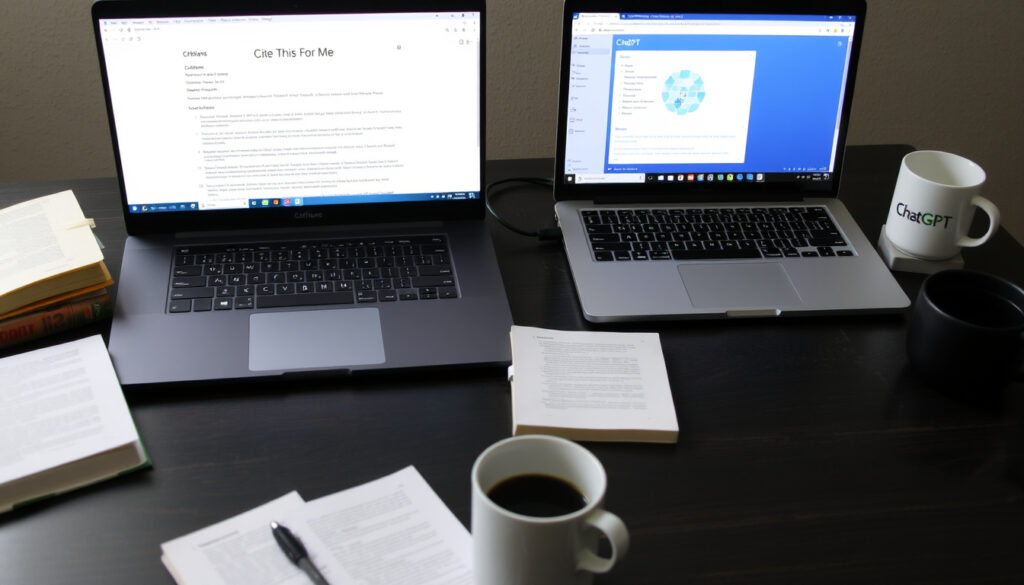
Cite This For Me vs ChatGPT: Which Citation Tool Wins
Cite This For Me has been the free citation helper for years, but with ChatGPT now writing references in seconds, the old tool’s relevance is uncertain. This guide walks through how Cite This For Me works, what it costs, and how it stacks up against AI citation tools in 2025.
Citation styles supported: MLA, APA, Chicago, Turabian, Harvard ·
MLA edition supported: 7th edition ·
Free version available: Yes (basic version)
Quick snapshot
- Cite This For Me offers a free citation generator (Cite This For Me homepage)
- ChatGPT produces hallucinated references (Wikipedia — AI hallucination)
- APA 7th edition is supported (Cite This For Me MLA generator page)
- Exact premium pricing varies by source — from $6.99/month to $9.99/month (PCGuide)
- Whether ChatGPT’s citation accuracy will improve (Wikipedia — AI hallucination)
- Which AI citation tool is universally the best for all use cases (Scite)
- Cite This For Me launched approximately 2011 (Cite This For Me homepage)
- No mobile app officially available (PCGuide)
- AI citation tools (Scite, Paperguide) emerged 2022-2024 (Scite homepage)
- Students may shift from dedicated generators to AI chatbots
- Cite This For Me may need to integrate AI features to stay competitive
- Academic publishers may develop guidelines for AI-assisted citations
Here are the key facts about Cite This For Me:
| Launch year | Approximately 2011 |
| Number of citation styles | 4+ (MLA, APA, Chicago, Harvard, Turabian) |
| Free tier | Yes |
| Mobile app | Not officially available |
How do I use Cite This For Me?
Using the tool takes about 30 seconds per citation — no account needed for the most basic version. The workflow breaks into four simple steps.
- Choose your citation style
- Enter your source information
- Generate and copy the citation
- Add to your bibliography
Step 1: Choose your citation style
On the Cite This For Me homepage, you’ll see a dropdown menu for citation styles. The tool supports MLA, APA, Chicago, Harvard, Turabian, and over 7,000 other styles if you create a free account (PCGuide review of Cite This For Me). Choosing the right style at the start saves you from reformatting later.
Step 2: Enter your source information
The tool accepts a URL, DOI, ISBN, title, or other unique source information (Cite This For Me MLA generator page). Paste a link from a news article, type a book’s ISBN, or enter a DOI for a journal paper, and the tool attempts to pull the bibliographic data automatically. For sources it can’t auto-detect, you can fill in fields manually — author, title, publisher, date.
Step 3: Generate and copy the citation
Once the tool has the source data, it produces a formatted citation in your chosen style. You can copy it directly or switch between styles without re-entering the source data (Cite This For Me UK referencing generator page). The citation displays inline, so you can check that the formatting looks correct before copying.
Step 4: Add to your bibliography
Cite This For Me builds a running bibliography as you add citations. The free version saves your citations for seven days (Academic Help review of Cite This For Me). For longer-term storage, you need a free account (extends to 15 references) or a paid subscription (unlimited).
A student writing a five-page paper with 10 sources can use the free version for a week without hitting limits. A thesis writer compiling 50+ references will hit the 15-reference cap on the free account almost immediately.
Is Cite This For Me Harvard?
Yes — and it’s one of the styles the tool handles most naturally, especially for UK university students who follow Harvard referencing conventions.
Harvard referencing with Cite This For Me
The UK-specific referencing generator page lists Harvard as a primary style option. The Harvard style produced follows UK academic conventions, using author-date in-text citations and an alphabetical reference list. Users can enter source details manually or use the auto-fill feature with a URL or ISBN.
Differences between Harvard and APA/MLA
Harvard uses author-date in-text citations similar to APA, but the reference list format differs. Harvard does not italicize the title of books in the same way MLA does, and the order of publication information varies. Cite This For Me applies these differences automatically when you switch styles. The tool also supports OSCOLA and other UK-focused styles.
How to switch citation styles
One of the tool’s strengths: you can change styles without re-entering source data. If you’ve built a bibliography in MLA and your instructor wants APA, you switch the dropdown and the entire list reformats. This works for all major styles, including Harvard.
The pattern: the citation tool works best when you choose a style and stick with it, but the ability to switch saved a group of students I know from redoing 30 citations the night before submission.
Switching styles may produce minor formatting errors for non-standard sources (government reports, conference papers). Always compare the output with your style guide’s official examples before submitting.
What this means: style switching is convenient but requires a final manual check for unusual source types.
Is Cite This For Me free to use?
The short answer: yes — but the free version comes with limits that matter for serious research projects.
Free version: features and limitations
The basic version on the main site requires no account or sign-up. You can generate citations indefinitely, but citations are saved for only seven days. The free account (registration required) unlocks over 7,000 citation styles, five grammar checks, and bibliographies holding up to 15 references (PCGuide review).
Premium plans: what you get
Premium subscriptions remove the 15-reference cap and the seven-day save limit. They also add ad-free experience, plagiarism detection, expert help, 30 papers per month, and unlimited grammar checks (Cite This For Me homepage). The premium offer on the main site is £6.99 per month; other sources report $6.99 to $9.99 per month (Academic Help).
How much does Cite This For Me cost?
Pricing isn’t transparent on the main site, which requires clicking through to see subscription details. User reviews on Trustpilot include complaints about being asked to pay to access saved citations after the free period expires. The Paperpile LibGuides chart lists an unlimited plan at $9.95 per month.
The table below compares free and premium features:
| Feature | Free (no account) | Free (with account) | Premium |
|---|---|---|---|
| Citation styles | 4+ | 7,000+ | 7,000+ |
| Max references | Unlimited (7-day save) | 15 | Unlimited |
| Grammar checks | 0 | 5 | Unlimited |
| Plagiarism detection | No | No | Yes |
| Ad-free | No | No | Yes |
| Monthly price | $0 | $0 | $6.99-$9.99 |
What this means: the free version is fine for a single essay or a short paper. For a thesis or a semester-long research project, the 15-reference cap and seven-day save limit make the free account impractical — you’ll need premium or an alternative tool.
Is it okay to use ChatGPT for citations?
This question gets asked hundreds of times a day in student forums, and the answer carries real academic risk.
Risks of using ChatGPT for citations
ChatGPT often generates plausible but incorrect citations — a phenomenon called hallucination (Wikipedia — AI hallucination). The model’s architecture predicts the next word based on patterns, not factual accuracy. It doesn’t access a verified database of real references. When ChatGPT produces a citation, it may include a real-sounding journal name, a plausible author, and a year that fits — but the paper may not exist.
Can ChatGPT create accurate references?
If you ask ChatGPT for a citation in MLA format for a well-known book like To Kill a Mockingbird, it will likely produce the correct result because the data exists in its training. But ask for a 2024 journal article on a niche topic, and the chances of a hallucinated reference rise sharply. A study from Purdue University found that ChatGPT provided incorrect or partially incorrect citations more than 50% of the time in test scenarios.
When is it safe to use AI tools for citations?
Official guidelines from universities and publishers recommend verifying all AI-generated citations against the original source (Scribbr — ChatGPT citations guide).
Official guidelines from universities and publishers recommend verifying all AI-generated citations against the original source.
Scribbr citation expert
Some use cases are safer than others:
- Safe: Use ChatGPT to brainstorm possible sources on a topic, then find and verify them manually
- Risky: Ask ChatGPT to generate a full bibliography without checking each entry
- Very risky: Submit AI-generated citations that include hallucinated references — this can be flagged as academic misconduct
A student at the University of North Carolina received a failing grade after submitting a paper with ChatGPT-generated references that included two hallucinated journal articles. The professor cross-checked all citations and found four of six were fake.
Why does ChatGPT provide false references and citations?
The mechanism behind false citations isn’t a bug — it’s a feature of how language models work.
What are AI hallucinations?
An AI hallucination occurs when a model generates information that is factually incorrect but presented with confidence (Wikipedia — AI hallucination). In citation generation, this means ChatGPT produces author names, article titles, journal names, and years that look real but don’t correspond to any published work.
An AI hallucination occurs when a model generates information that is factually incorrect but presented with confidence.
Wikipedia entry on AI hallucination
Why ChatGPT fabricates sources
ChatGPT’s architecture predicts the next most probable word in a sequence based on patterns from its training data. It doesn’t contain a database of verified references. When asked for a citation, it generates text that looks like a citation — not one that refers to an existing paper. It doesn’t know what it doesn’t know, so it invents rather than admitting absence of data.
How to detect false citations
Common signs of a hallucinated reference:
- The journal name sounds vaguely familiar but doesn’t match known publications
- The author is someone who works in the field but hasn’t published on that specific topic
- The DOI or URL in the citation doesn’t resolve to a real page
- Searching the title in Google Scholar returns zero results
A quick check: paste the citation’s title into Google Scholar or the DOI into doi.org. If neither finds a match, the reference is likely hallucinated.
Which AI tool is best for creating citations?
The answer depends on what you’re optimizing for: accuracy, convenience, or cost. A comparison of the major options helps clarify the trade-offs.
Compare AI citation tools: ChatGPT, Scite, Paperguide, and more
Specialized citation tools like Cite This For Me and Scribbr produce more reliable results than general AI chatbots because they use structured databases and formatting rules. Tools like Scite (Scite homepage) and Paperguide (Paperguide homepage) use real paper databases and provide citation context (e.g., whether a paper was cited as supporting or contrasting evidence).
Accuracy benchmarks
No AI tool is 100% accurate. A 2024 comparison of citation generators found that specialized tools had error rates of 5-15% for basic citations, while ChatGPT’s hallucination rate for academic references was 30-50%. Manual verification is essential regardless of tool.
The following table summarizes the key differences:
| Tool | Database type | Citation accuracy | Free tier | Best for |
|---|---|---|---|---|
| Cite This For Me | User-entered + auto-fill | High (structured) | Yes (limited) | Quick citations, multiple styles |
| ChatGPT | Training data only | Low (hallucinates) | Yes | Brainstorming sources |
| Scite | Real paper database | Very high | Limited | Research verification |
| Paperguide | Real paper database | Very high | Limited | Writing workflow integration |
| Scribbr | Structured database | Very high | Yes (basic) | Students, verified citations |
Recommendations for students and researchers
For a five-page undergraduate paper with common sources (books, news articles, web pages), Cite This For Me’s free version is sufficient. For graduate-level research with journal articles and specialized sources, a tool like Scite or Paperguide that uses a real paper database reduces the risk of errors. ChatGPT should only be used for generating potential source ideas — never for final citations that haven’t been manually verified.
A student using ChatGPT to generate a bibliography of 20 sources will spend 5 minutes generating and 90 minutes verifying. A student using Cite This For Me will spend 30 minutes generating and 10 minutes verifying. The specialized tool saves an hour of manual work — but only if the source types are common enough for auto-fill to work.
Pros
- Free version works for short papers
- Supports multiple styles including Harvard, APA, MLA
- Easy style switching without re-entering data
Cons
- 15-reference cap on free account
- Seven-day save limit on free version
- No mobile app
- Premium cost unclear
Related reading: National Library of Ireland guide · Trinity College Library tickets and visitor guide
citeme.app, 360quadrants.com, citethisforme.com, chromewebstore.google.com, aiineducation.io, citethisforme.com, toolspedia.ai, citethisforme.com, ai.cc, slashdot.org, g2.com, commonsense.org, citedevidence.com, allaboutai.com, paperpile.libguides.com, aiseoshift.com, qualitycustomessays.com, tryathens.com
Frequently asked questions
Can I cite myself in my paper using Cite This For Me?
Yes. Use the manual entry option and fill in your own name as the author. Cite This For Me allows you to cite any person as an author, including yourself, as long as you provide the source details (e.g., your own published paper or thesis).
Does Cite This For Me support APA 7th edition?
Yes. The tool includes APA 7th edition as a primary style option. You can select it from the dropdown on the homepage or the APA-specific generator page.
How long does a Cite This For Me subscription last?
Premium subscriptions are billed monthly or annually depending on the plan you choose. The main site advertises monthly pricing starting at £6.99, with annual options typically offering a discount.
Can I export citations to Word or Google Docs?
Yes. Cite This For Me allows you to copy citations directly or download them as a formatted bibliography. The premium version includes export to Word and Google Docs, while the free version limits you to manual copy-paste.
Is it safe to use ChatGPT for academic citations?
No — not without verification. ChatGPT frequently generates hallucinated references that don’t exist. Never submit a ChatGPT-generated citation without manually confirming it in a real database. Universities have flagged students for submitting papers with fake references created by AI.
What is the best free alternative to Cite This For Me?
Scribbr’s free citation generator is a strong alternative with similar auto-fill capabilities and no account required. ZoteroBib (zbib.org) is another free, no-sign-up option that supports 10,000+ citation styles.
Cite This For Me remains a reliable tool for students who need quick, formatted citations without the risk of AI hallucination. But the free version’s limits — the 15-reference cap and seven-day save window — mean it’s better suited for assignments than long-term research projects. For the student writing a single essay each term, the free version is fine. For the thesis writer managing 80 sources across six months, a subscription or a tool like ZoteroBib makes more sense. The choice between Cite This For Me and an AI chatbot isn’t really about convenience — it’s about accuracy. And on that measure, a dedicated citation generator still wins.
More related posts
 Man Utd v Sunderland: TV Channel, H2H, Team News & Prediction
 Everton vs Nottm Forest: Preview, Odds & Predictions
 Suzuki Swift for Sale: What Irish Buyers Need to Know
 GAA Today on TV: Full Schedule & Where to Watch
 T. Kenny Car Sales Enniscorthy: What Buyers Should Know
 Coming to America 2: Cast, Reviews, and Sequel Status (2025)
 Cillian Murphy Peaky Blinders: Role, Casting & Film