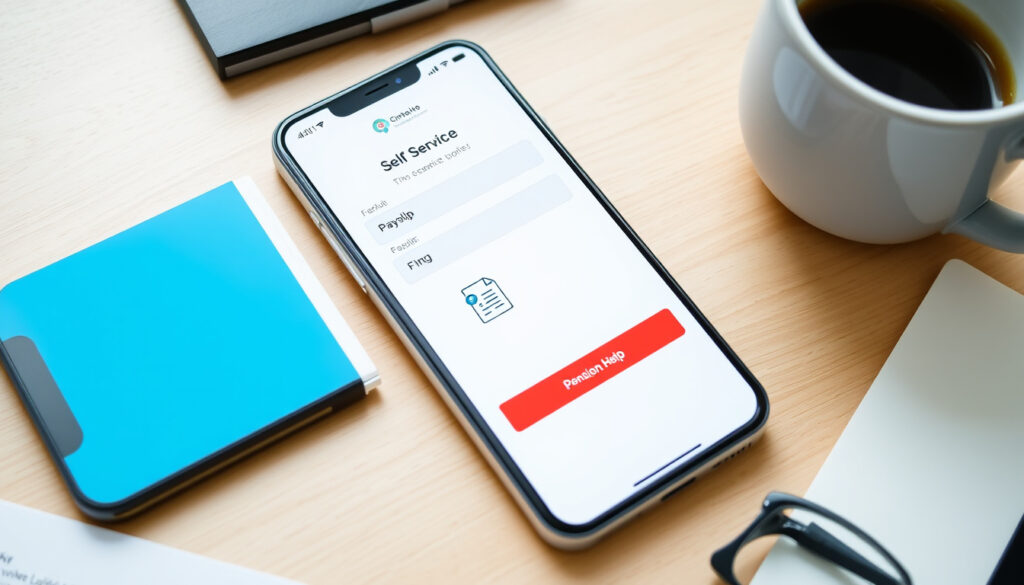
HSE Self Service App: Login, Payslips & Pension Help
If you’re an HSE employee, manager, or retiree, you’ve probably heard about the HR and Payroll Self Service portal—but getting past the login screen and actually finding your payslip can feel like a puzzle. This guide walks you through the exact steps, from logging in at myhseselfservice.hse.ie to downloading old payslips and checking your pension, all using official HSE resources.
Portal URL: myhseselfservice.hse.ie ·
Login system: SAP NetWeaver ·
Payslip access: via HR and Payroll Self Service ·
Regional support: South East, North West, and other areas ·
Help desk phone: 056 778 4268 (South East)
Quick snapshot
- Access myhseselfservice.hse.ie (HSE HR and Payroll Self Service support page)
- Enter SAP credentials (My HSE Self Service pocket guide)
- Reset password if needed (HSE common helpdesk guide)
- Navigate to Payslips section (HSE View your payslips page)
- Select pay period (HSE payslip viewer instructions)
- Open PDF in browser (HSE payslip display)
- Click download button (HSE payslip download instructions)
- Save as PDF (HSE payslip page)
- Store for records (HSE payslip guidance) (HSE payslip download instructions)
- Contact regional helpdesk for pre-2022 (HSE payslip support)
- Pension payslips in same portal (HSE Retirees payslip guidance)
- NiSRP for pension statements (HSE NISRP FAQs)
Five key facts about the HSE Self Service portal, one pattern: the login method and payslip availability depend on your employment status and region.
| Item | Value |
|---|---|
| Official portal | myhseselfservice.hse.ie (HSE official portal) |
| Login system | SAP NetWeaver (My HSE Self Service pocket guide) |
| Payslip availability start | January 2022 (most regions) (HSE payslip page) |
| Help phone (South East) | 056 778 4268 (HSE Self Service support) |
| Help phone (North West) | Available on regional page (HSE support pages) |
| Logon ID format | E/M/R + 8-digit personnel number (pocket guide) |
| Password reset | Via logon screen using email on record (pocket guide) |
| Support email | support.nisrp@hse.ie (HSE payslip page) |
| Retiree help line | 0818 300 296 (Mon–Fri, 9am–4:30pm) (HSE Retirees page) |
| Mobile access | Browser or SAP Fiori Client app (HSE NISRP FAQs) |
How do I log into the HSE app?
The login process is straightforward once you know your credentials. Your logon ID is your SAP personnel number (eight digits) prefixed with E for employees, M for managers, or R for retirees (My HSE Self Service pocket guide).
- Open your browser and go to myhseselfservice.hse.ie – the HSE official portal.
- Enter your logon ID (E/M/R plus your 8‑digit personnel number).
- Type your SAP NetWeaver password.
- Click “Log On”.
- If you forget your password, use the “Password Reset” link on the login screen.
Where can I find the HSE self-service portal?
- Open your browser and go to myhseselfservice.hse.ie (HSE official portal).
- The portal uses SAP NetWeaver authentication (pocket guide).
How do I register for the HSE self-service portal?
- If you haven’t registered, select the “New User” or “Register” option on the login page (HSE common helpdesk guide).
- You will need your personnel number and an email address already on record with HSE payroll (pocket guide).
What should I do if I forget my password?
- On the logon screen at myhseselfservice.hse.ie, select “Password Reset” (pocket guide).
- Enter your logon ID and the email address on file. A reset link will be sent (pocket guide).
Your logon ID is the key—if you don’t know it, check an old paper payslip or contact your regional payroll. Without it, password reset won’t work.
The implication: without your logon ID, portal access is impossible.
How can I find my payslip online?
Once logged in, payslips are just a few clicks away. The HSE’s HR and Payroll Self Service system lets you view current and past payslips, download them, and print them (HSE View your payslips page).
How do I view my payslip on my phone?
- Open a mobile browser on your smartphone and go to myhseselfservice.hse.ie (My HSE Self Service one-pager).
- The portal is responsive; you can also download the SAP Fiori Client app from your app store (HSE NISRP FAQs).
How do I access my payslip?
- After logging in, click the “Payslips” tile or link (HSE payslip page).
- Select the pay period you want. The payslip displays on screen as it would if printed (HSE payslip viewer).
Where can I retrieve my payslip?
- All your payslips for periods after January 2022 are in the same portal (HSE payslip support).
- If you’re a retiree, log in with your R-prefixed ID (HSE Retirees payslip guidance).
If your payslip doesn’t appear, double‑check that your region has migrated to the online system—some areas still use paper for pre‑2022 periods.
The pattern: payslip availability depends on regional migration status.
How do I download my payslip online?
Downloading is built into the viewer. The HSE payslip page provides a download button that saves the document as a PDF (HSE payslip download instructions).
How can I download my payslips?
- Open the payslip you want to save.
- Click the “Download” or “Save” icon (usually a diskette or arrow) (HSE payslip page).
- The PDF will download to your device. You can then save it to a folder or print it (HSE payslip guidance).
Can I download multiple payslips at once?
- The portal currently does not offer a batch download option. You must download each payslip individually (HSE payslip page).
What this means: you’ll need to download each payslip individually.
Can I view old HSE payslips online?
It depends on the period. Payslips from January 2022 onward are available through the portal. For older payslips, you may need to contact your regional payroll helpdesk (HSE payslip support).
How can I get an old payslip?
- If your payslip is from before 2022, call the regional helpdesk for your area (HSE Self Service support).
- Have your personnel number ready. The helpdesk can provide a copy or advise on how to request one (HSE common helpdesk guide).
Can I view my HSE pension payslips online?
- Yes, pension payslips are available through the same HR and Payroll Self Service portal (HSE Retirees page).
- Log in with your R-prefixed logon ID. If you need pension statements beyond payslips, the NiSRP portal is used (HSE NISRP FAQs).
Payslips older than 2022 are not automatically migrated. If you need one, don’t rely on the portal—reach out to the helpdesk early.
The catch: don’t wait until you urgently need an old payslip.
How do I check my HSE pension?
Your pension information is accessible through the same HR and Payroll Self Service portal. In addition, the National Integrated Staff Records and Payroll (NiSRP) system provides pension statements (HSE NISRP FAQs).
Can I view my HSE pension payslips online?
- Yes, retiree payslips appear in the portal after logging in with your R-prefixed ID (HSE Retirees payslip guidance).
- If you have queries about specific pension contributions, contact support.nisrp@hse.ie (HSE payslip page).
How do I access pension statements?
- Pension statements are available through the NiSRP portal. Contact the NiSRP helpdesk for login details (HSE NISRP FAQs).
- Retirees can also call 0818 300 296 for assistance (HSE Retirees page).
The pattern: pension information is centralized in the same portal.
Clarity check: what’s confirmed and what’s still unclear
Confirmed facts
- HSE HR and Payroll Self Service is available at healthservice.hse.ie/staff (HSE staff portal)
- Login page is myhseselfservice.hse.ie
- Payslips can be viewed online for current and recent periods (HSE payslip page)
- Password reset is available via the logon screen (pocket guide)
What’s unclear
- Exact number of staff using the portal (HSE support page)
- Whether the HSE “app” is a separate mobile app or responsive web (HSE NISRP FAQs)
- Retention period for old payslips online (HSE payslip page)
- Whether all HSE staff have access to the portal (HSE support page)
The bottom line: the portal is reliable for recent payslips but not for all historical records.
For related guides, see Health and Safety Courses in Ireland: Complete Guide and GP Visit Card Threshold 2025: Income Limits & Guide.
“Using HR and Payroll Self Service you can see your payslips, apply for leave, submit travel expenses and update your details.”
HSE HR and Payroll Self Service support page
“You can view current and past payslips, download them, and print them.”
HSE View your payslips page
“Retirees should log in to HR and Payroll Self Service to view online payslips.”
HSE Payslips for retirees
“The logon ID is the SAP personnel number, eight digits long, prefaced by E for employees, M for managers, and R for retirees.”
My HSE Self Service pocket guide
The HSE Self Service portal is a powerful tool, but it works best when you know your logon ID and which region’s helpdesk to call. For HSE employees and retirees, the choice is clear: use the portal for payslips after January 2022, and keep the regional helpdesk number handy for older records. For pre‑2022 payslips, contact the payroll area that manages your payments—otherwise you risk delays in accessing proof of income.
assets.hse.ie, healthservice.hse.ie, epayslips.hse.ie, about.hse.ie, hse.ie, healthservice.hse.ie, id.scribd.com
Frequently asked questions
Is there a dedicated HSE self‑service mobile app?
The HSE recommends using the mobile browser at myhseselfservice.hse.ie. You can also download the SAP Fiori Client app from app stores, but the web version works on any device (HSE NISRP FAQs).
What should I do if I cannot log into the HSE self‑service portal?
First, check that you’re using the correct logon ID (E/M/R + personnel number). If you’ve forgotten your password, use the “Password Reset” link on the login page. If problems persist, contact your regional helpdesk (HSE common helpdesk guide).
How do I update my personal details on the HSE portal?
After logging in, navigate to the “Personal Details” or “My Profile” section. You can update your address, phone number, and email there (HSE support page).
Can I submit leave requests through the HSE self‑service app?
Yes, the HR and Payroll Self Service portal includes leave application functionality. Look for the “Leave” tile after logging in (HSE support page).
How do I contact the HSE payroll helpdesk?
Contact numbers vary by region. For the South East area, call 056 778 4268. For retirees, the general line is 0818 300 296. You can also email support.nisrp@hse.ie (HSE Retirees page).
Are payslips available for all HSE employees?
Most HSE employees and retirees can access payslips online through the portal. However, some regions may not have fully migrated to the online system for pre‑2022 payslips. Contact your regional payroll to confirm (HSE payslip page).
How far back can I view my payslips online?
Payslips from January 2022 onward are available in the portal. For older payslips, you will need to request them from your regional payroll helpdesk (HSE payslip support).
More related posts
 When Was Easter 2025? Date, History, and Why It Moves
 Complete Cast List of The Office UK: Main Actors and Characters
 BMW X5 Price Ireland: New & Used Costs Guide 2025
 National Bird of Ireland – Lapwing’s Unofficial Status
 How to Make Fried Rice – Perfect Grains at Home
 Houses for Sale in Kilmallock: Your Guide to Local Listings
 37 Shoe Size in UK: Complete UK, US & EU Conversion Guide
 2025 Child Benefit Ireland Payment Dates & Budget 2026